F-Words: The Secret to iNaturalist Success
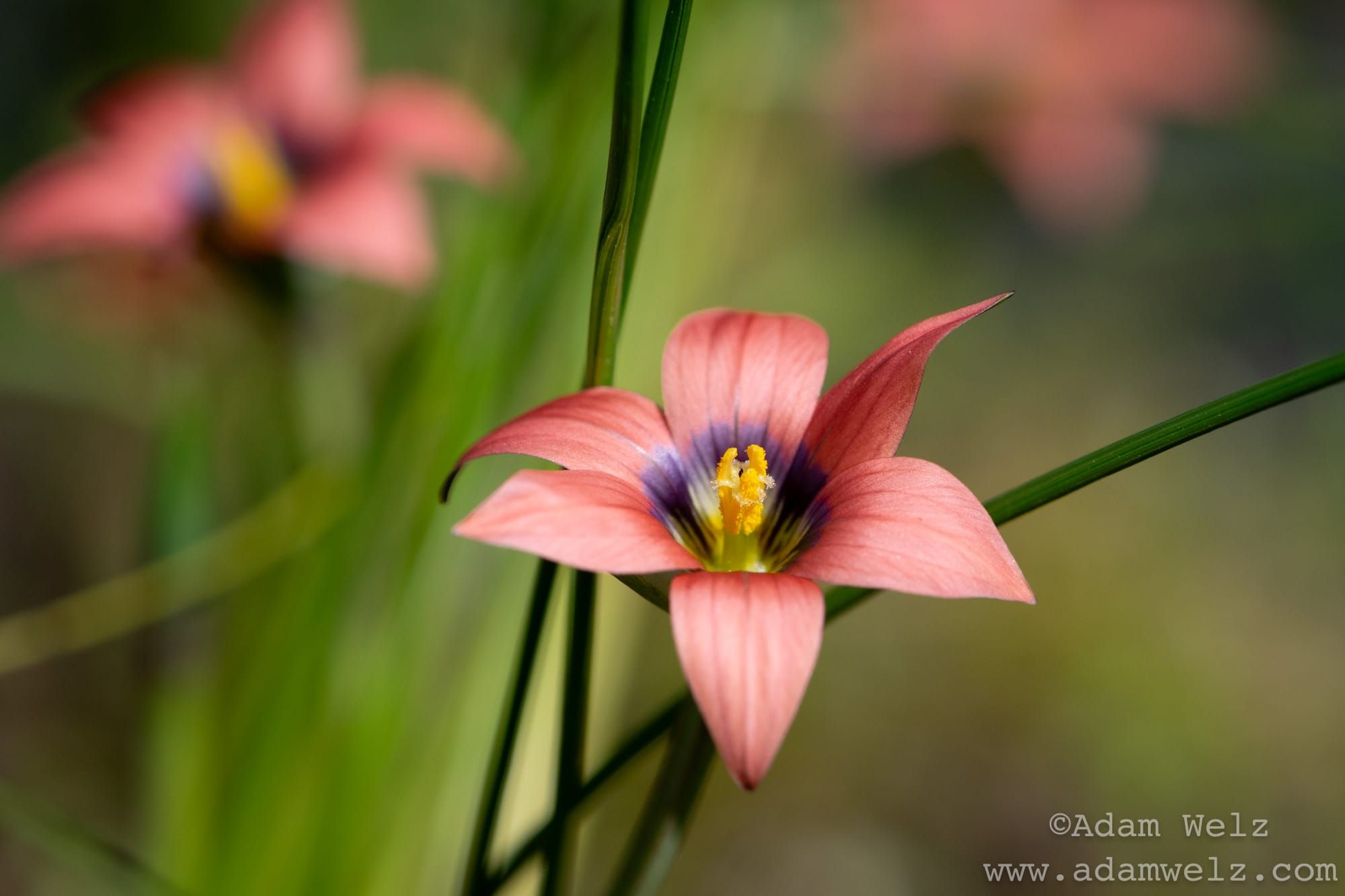
Do you want to save species from extinction? Support conservation areas? Not be ripped off by the pseudigenous gardening industry? Or just develop an ancient superpower?
Being able to identify and name wild species is fundamental to any kind of conservation work (professional or amateur) and to gardening as if wild species mattered. It’s also a superpower which this newsletter will help you acquire.
I’ve been an old-school naturalist for as long as I remember. I’ve always wanted to know the names of wild species and learn stuff about them. As a youngster I was particularly keen on fish, reptiles, amphibians and birds, and spent hours learning to identify them from books, watching them, catching them — and keeping them in my bedroom, which did not always please my mother.
I moved to Cape Town in the mid-1990s and began spending time in the fynbos, which I soon appreciated as something very different to the grasslands and savannas I had grown up with in Gauteng.
But as much as I enjoyed the fynbos, it intimidated me. There were so many different species of plants in it, and I had no idea how to start learning them. The available paper field guides and botanical books were often incomplete or too large to carry with me. I struggled to find out which species of plants were native to my area so I could plant them in my Cape Town yard. There were no easily-accessible species lists or records for most parts of the city; information about which plants naturally occurred in which parts of the metro area was either buried in the mortal brains of a few hard-to-reach experts, in dusty old academic journals, or simply did not exist.
This sad situation improved when the Covid pandemic struck, normal life went out the window and I began using an app called iNaturalist. I can now not only identify hundreds of plants in the Cape on sight, but have collected wickedly useful information that’s proving vital to the South Peninsula Nature Alliance’s work. I’ve met some great new friends through the app, too. (My wife has to stop me evangelising about it at every social gathering!)
Here’s a great thing: Anyone can use iNaturalist. Kids, adults, beginners, experts. It’s free-to-use, so it works if you’re broke, and simple to get into, so good for tech-phobics, too. Here’s another great thing: Although anyone can use it, it’s also a powerful scientific and conservation tool.
You can take photos of wild species (plants, insects, reptiles, whatever) with your cellphone and upload these photos through the app. iNaturalist then checks out your photos with fancy image analysis software and suggests likely names for the species you snapped. You can then agree with one of the suggested names or type in your own identification.
iNaturalist differs from and is better than most of the AI image recognition tools like Google Lens etc. that you might already be using in that iNaturalist stores your photos in a massive public database. Other iNaturalist users can look at them and either confirm or refine your identification. You can discuss your observations with other users, including some who are experts in their fields. Because your cellphone photos have GPS location metadata embedded in them, iNaturalist also maps each observation; you can go online to view your observations and hundreds of millions of other observations. You can figure out not only which species an organism belongs to, but where that species lives and when it flowers or breeds or migrates etc.
I’ve made thousands of observations with the app, many of them within the parts of the Cape Peninsula that the SNPA is working. These, along with iNat observations from other users, have allowed me to gather the kind of information about my local wild species and ecosystems that, in the paper field guide days, would have taken years of work by top-class professional experts to gather. (To be honest, this information would probably never have been gathered or made accessible in the pre-iNaturalist days because it would have been way too expensive, even if enough experts could be found to do it.)
To start:
A) Sign up and create a username for yourself on www.inaturalist.org
B) Download the app to your cellphone via the usual app store or the links on www.inaturalist.org (It’s free.)
C) Make sure your phone location services are on so that GPS location data embeds in the photos you take.
Note 1: You can take photos for iNaturalist through the app, or take them with your regular phone camera app and upload them from your camera roll later. I prefer the latter, but the most important thing is taking identifiable images. See my F-Word Method just below.
Note 2: Each iNaturalist observation consists of 1 or more photos of the same individual organism, i.e. the same individual plant, lizard, butterfly etc. One individual = one observation. Don’t upload photos of different individuals into the same observation, even if those individuals appear to belong to the same species. Also don’t upload different photos of the same individual into multiple observations.
Adam Welz’s F-Word Method for Taking Useful Flowering Plant Photos for iNaturalist
(*Developed in the Cape fynbos, but good for much of the world.)
1) Find a plant with a Flower.
2) Fotograph it, but as you do so, bear these further F-words in mind:
- Make sure your photos are FOCUSSED on the plant you want to identify. Sometimes cellphone cameras focus on the wrong parts of the plant or the background. Override your autofocus if necessary.
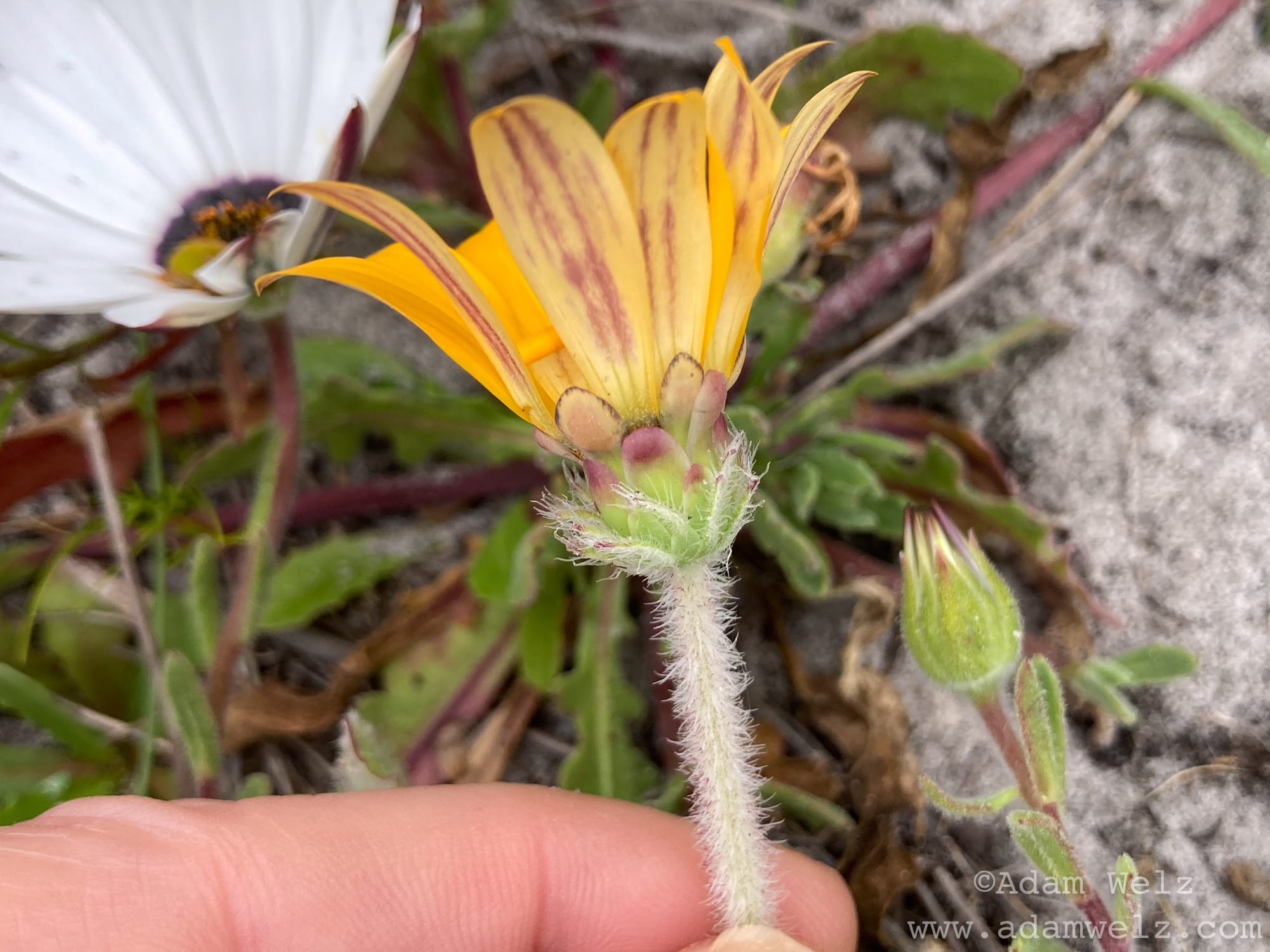
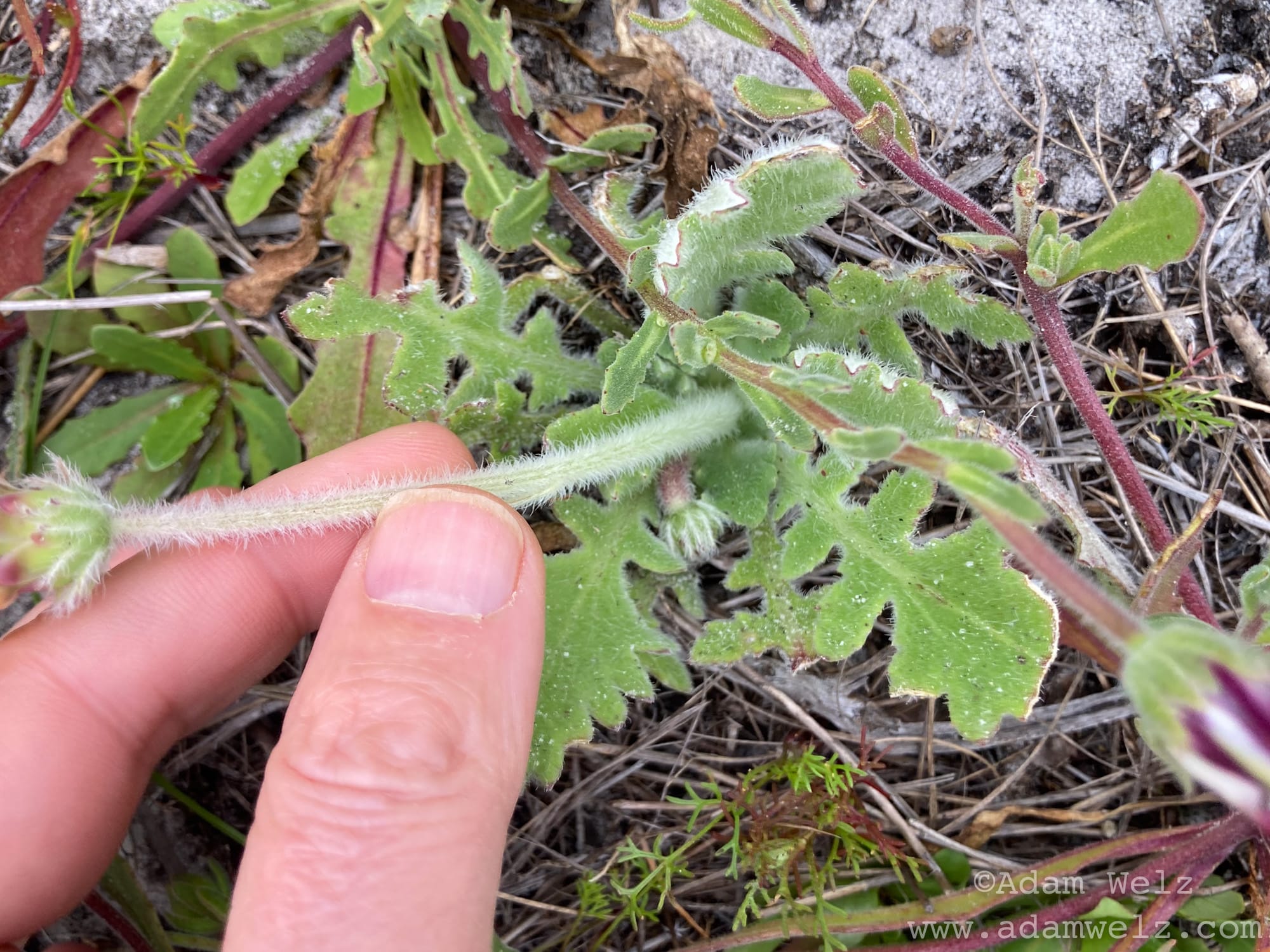
- Include a FINGER in at least one of your photos. This provides approximate scale, so identifiers can tell how large the parts of your plant are.
- Take at least FOUR photos of a single individual plant. Although some plants can be identified from one photo, oftentimes a plant can only be accurately identified from multiple good photos of different parts of an individual.
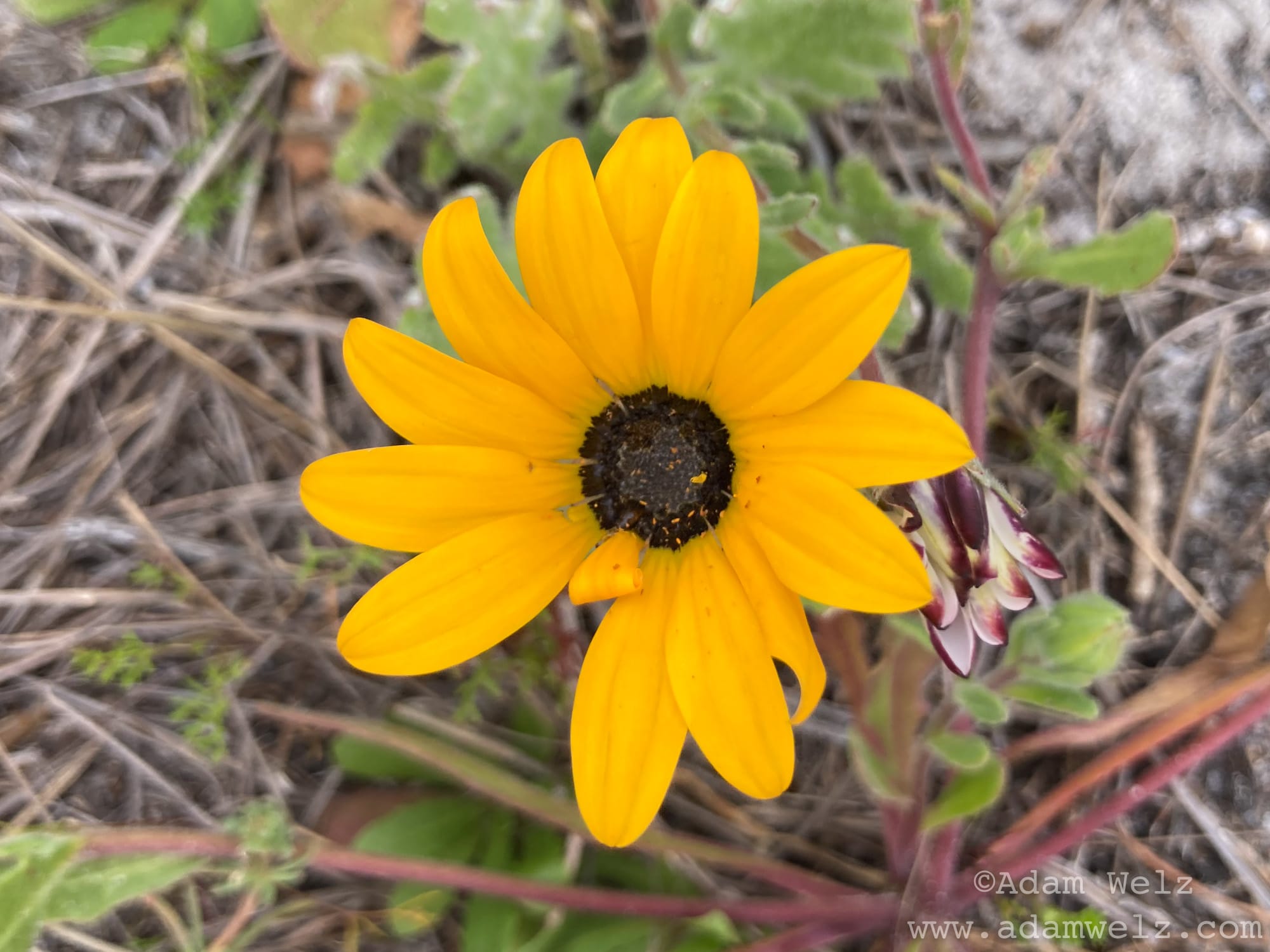
i) FRONT of the flower, like this:
ii) PROFILE of the flower (side-on), like this:
iii) LEAF of the plant, like this:
iv) FULL PLANT, like this:
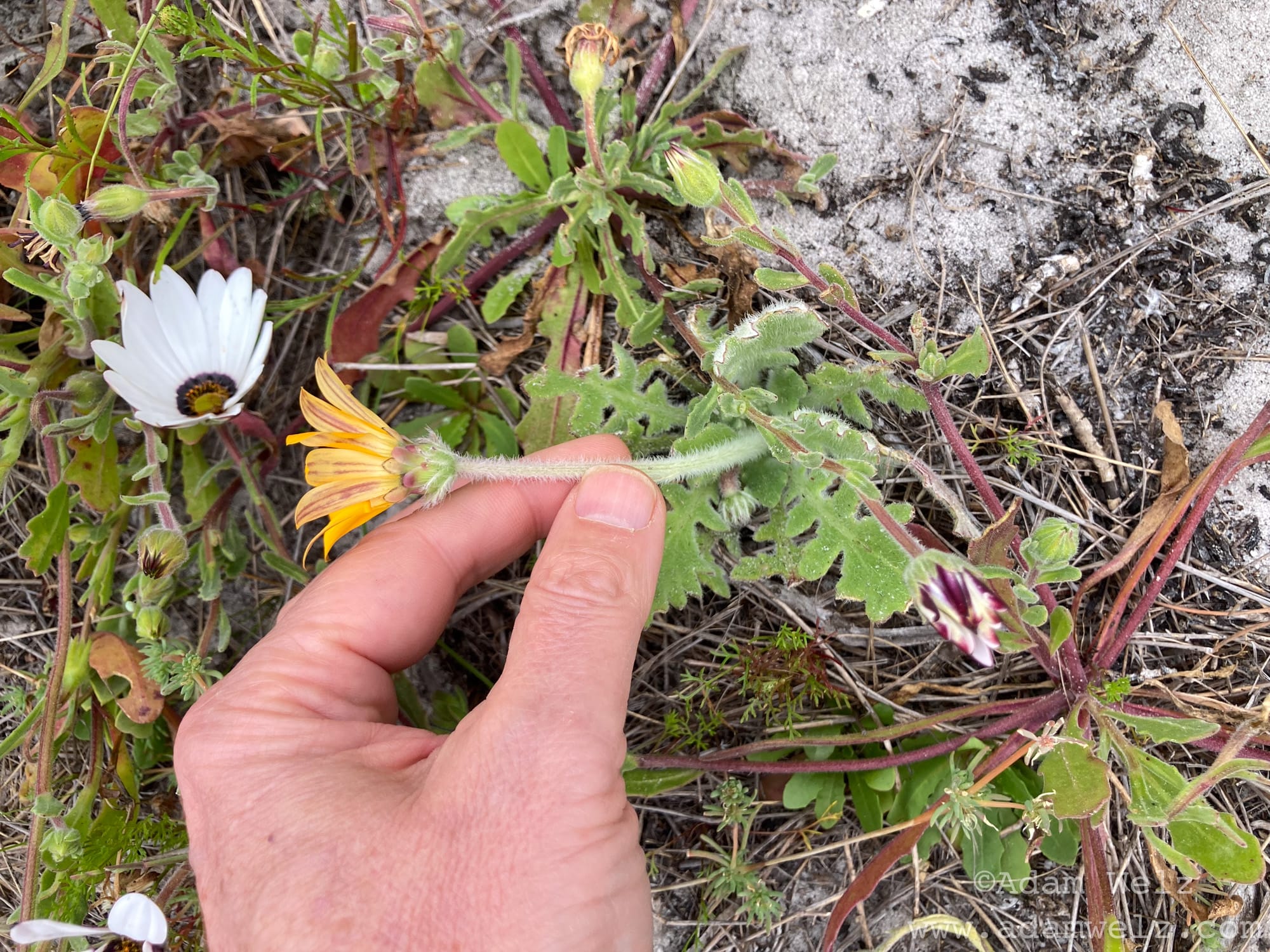
You can take additional photos of the individual plant, e.g. of the bark, underside of the leaves, etc., but the four above should allow you to identify nearly all the flowering plants you encounter.
Of course, you can also upload photos taken with regular cameras to iNaturalist, so long as you have the time and date they were taken. You can add the observation location manually, but I have attached a GPS receiver to my DSLR camera so that location co-ordinates are embedded in photo metadata automatically.
Remember not to Photoshop or “improve” your photos before uploading them to iNaturalist. iNat photos don’t need to be beautifully-composed pieces of fine art: they just need to represent organisms accurately.
There’s a lot more to iNaturalist — you can access more features by logging into your profile via a web browser on a computer, for example — but the info in this newsletter post should get you started. If you have questions, iNat has a thriving online community to engage with.
I’ve turned many people on to iNaturalist and they’ve wildly improved their knowledge of the natural world with it. Some have become evangelists for the app themselves.
Does iNaturalist replace paper books and old-fashioned human expertise? No. The app can’t identify all species and sometimes makes mistakes. iNaturalist is an entry point, and additional tool to help us engage with and protect nature, and the trick is to use as just that, a tool.
Use it to help unlock the superpower of observing nature like our ancestors did, the superpower they evolved over millions of years that allowed them to survive and thrive. Use it to share information about your environment with others. Use it to build community IRL. Don’t let it be another isolating electronic crutch, like so many apps can become.
Future SPNA newsletters will delve into using iNaturalist to conserve species in your own community wherever you are in the world, to stand up against natural habitat destruction and to garden in your yards and public spaces as if wild species mattered. (I can’t wait to write about this! Please use the Subscribe buttons on this page to sign up to the South Peninsula Nature Alliance newsletter so you don't miss out.)
My iNat username is @adamwelz and you can check out my observations and follow me here.
See you in the fynbos!
Adam Welz
P.S. I wrote this post completely of my own volition and without any form of encouragement or sponsorship from the good people at iNaturalist.
©Adam Welz / www.adamwelz.com
Follow the SPNA on Instagram at www.instagram.com/komfynbos/
Check out Adam Welz's nature photography at www.instagram.com/adamwelz.wild
None of the writing or photography on this site was produced with or by generative AI. All the typos, grammaticals & inelegant sentences are mine.